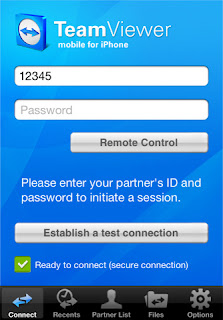
After development of internet, it is very easy to transfer files between two remote computers, but when you want to transfer large files, which cannot be attached with an e mail.
Remote access is also important for support and remote help.
The most widely used software for these purposes, is TeamViewer.
TeamViewer is free and secure software to transfer files or to have access between two remote computers.
If you do not have TeamViewer installed, download it from
teamviewer.com and install it.
Part 1 (File Transfer)
1. As seen in the dialog box, key-in the ID and password of your partner. Then select the option File Transfer.
2. You will be soon connected to your partner's computer system and will be shown the directories of your system and your partner's system.
3. Now, click on the appropriate Send/ Receive button after selecting your files.
Part 2 (Remote Access)
1. As seen in the dialog box, enter the user id and password of your partner's system, whose computer you want to access remotely.
2. After being connected to your partner, you will have access to his/her system.Here, you have option to record the whole session.
Remote access helps the user to get help of an expert without his physical attendance at user's place.